

A publisher preparing to launch a debut novel usually has a striking cover, a strong pitch, and very little else to visually market the book with before release day.
Unlike film or gaming, publishing has never had an easy, affordable way to produce trailer-style content, even though readers increasingly discover new books through short-form video on social platforms.
Pippit’s Seedance 2.5 model changes that, letting publishers turn a manuscript’s key scenes and mood into cinematic teaser content without a full production budget behind every title.
Why book marketing has lagged behind other media
Film has trailers, games have cinematic reveals, but books have mostly relied on cover reveals, blurbs, and the occasional animated cover video. This isn’t because publishers don’t see the value in visual marketing — it’s that producing anything beyond a static cover has traditionally required either a real production budget or in-house design skills most publishing marketing teams don’t have time to develop, especially across a full seasonal list of titles.
What publishing marketing teams are actually managing
- Marketing budgets are typically spread thin across dozens of titles in a single season.
- Debut authors and midlist titles rarely get the same promotional investment as lead titles.
- Reader attention increasingly happens on video-first platforms publishers haven’t fully adapted content for.
- Turnaround between final manuscript and launch date is often too tight for traditional video production.
Seedance 2.5’s fit for literary teaser content
Enough runtime for an actual narrative teaser
With single-clip length extended from 15 to 30 seconds and up to two rounds of extension, a teaser can build real tension — a setting, a hint of conflict, an unresolved moment — rather than a single static mood shot that doesn’t hint at the actual story.
Time-stamped prompts for trailer-style pacing
Time-marking lets a marketing team script a teaser the way a film trailer is edited: an atmospheric opening, rising tension in the middle, a cliffhanger or striking final image at the close. This structure is what makes a book teaser feel genuinely gripping rather than just decorative.
Creativity transfer for genre-accurate tone
Creativity transfer can replicate the mood and visual language of a specific reference rather than just its motion, helping a thriller teaser feel tense, a romance teaser feel warm, or a fantasy teaser feel epic, matching the actual genre rather than a one-size-fits-all aesthetic.
Multilingual support for global publishing markets
With broad multilingual support across major languages, publishers releasing titles in multiple markets can adapt teaser content for each region without a completely separate production for every translation.
Multimodal fusion for cover- and manuscript-accurate visuals
Uploading the book’s cover art, key manuscript excerpts, or a mood board — up to 50 pieces of material per generation — helps ground a generated teaser in the book’s actual visual identity rather than a generic literary aesthetic.
Reduced “AI look” for a genuinely cinematic feel
Improved texture realism and cross-cut consistency help a generated teaser feel like a polished trailer rather than a rough animated slideshow, which matters for a category where readers are used to seeing high-production trailers from film and streaming.
Giving your teaser a voice with SeedAudio 1.5
A book teaser often benefits from a single narrated line — a chilling quote, an ominous warning, an emotional confession — and SeedAudio 1.5 can generate that voiceover directly, matched in tone to the genre being promoted. A thriller might call for a low, tense delivery, while a romance might call for something warmer, giving publishing teams an easy way to add a professional narrated layer across an entire season’s worth of teasers.
Building a repeatable teaser process across a publishing list
Prioritize titles that benefit most from atmosphere and mood, since genre fiction tends to translate especially well to this format. You can create a consistent teaser style across a season’s titles so readers start recognizing the publisher’s visual marketing identity.
Give debut and midlist titles the same visual treatment as lead titles, since production cost is no longer the limiting factor. And treat this as a reliable AI video generator for the full publishing calendar, generating teaser content on a rolling basis as each title approaches release rather than reserving it for only the biggest launches.
From cover art to a launch-ready poster
A video teaser isn’t the only asset a launch needs — a striking poster-style image is often what actually gets shared by readers, booksellers, and reviewers. Here’s how to create one using Pippit’s Seedream model.
Step 1: Generate your teaser visual
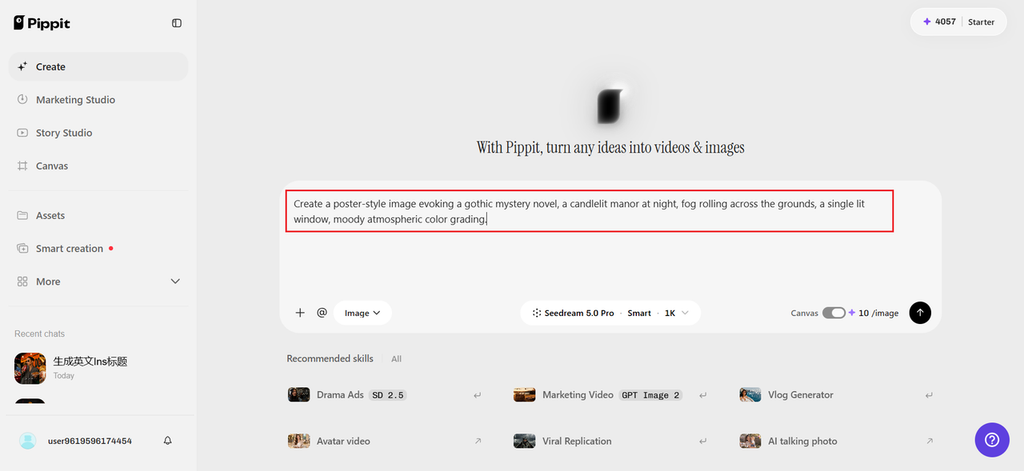
Open Pippit and select the Seedream model, then describe a key scene or mood from the book.
For example: Create a poster-style image evoking a gothic mystery novel, a candlelit manor at night, fog rolling across the grounds, a single lit window, moody atmospheric color grading.
Add the book’s actual cover art as a reference to keep the visual identity consistent.
Step 2: Refine the tone to match the genre
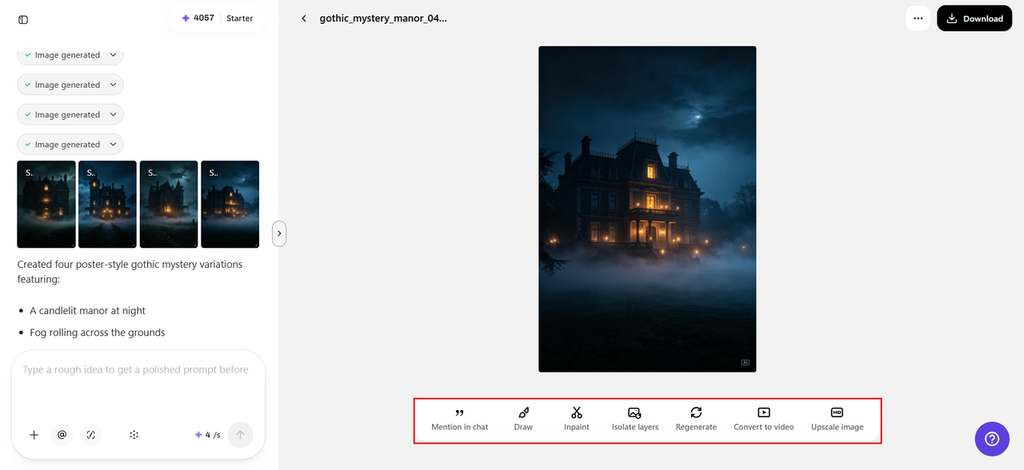
Review the draft against the book’s actual genre and mood — does it read as thriller, romance, or fantasy the way the manuscript intends? Adjust color grading, lighting, or composition until the tone feels right for the target readership.
Step 3: Add the title and release date and export
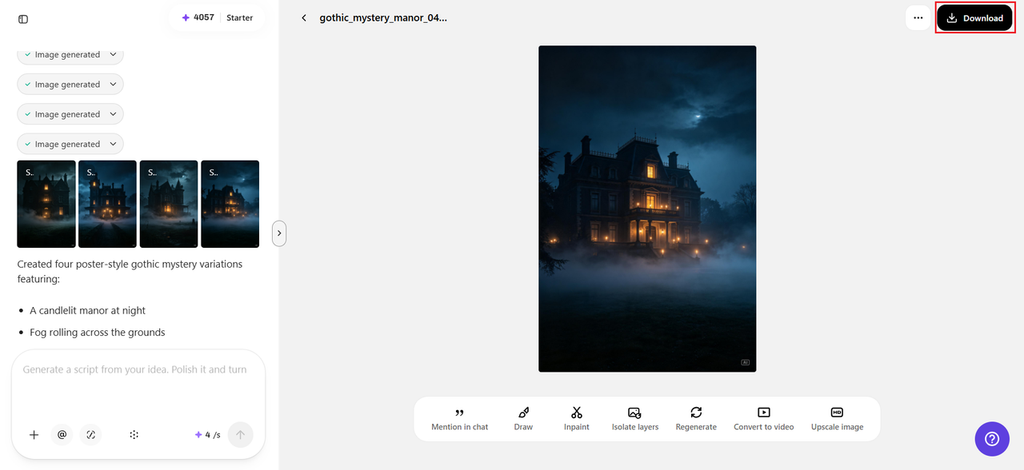
Layer on the book’s title, author name, and release date directly onto the image, then export at the resolution needed for social media, retailer promotional pages, or a bookseller’s marketing kit.
Staying true to the story being sold
A teaser should reflect the actual tone and content of the book, not oversell a mood or twist the manuscript doesn’t deliver — mismatched expectations tend to show up directly in reader reviews and can hurt a title more than having no teaser at all. Keeping generations closely tied to real scenes, cover art, and the book’s actual genre keeps teaser content honest while still giving it the cinematic pull that gets a reader to stop scrolling.
Give every title its own trailer moment
Readers deserve more than a static cover image to decide whether a book gets their attention. With Seedance 2.5 inside Pippit, publishers can create cinematic teaser content for an entire season’s list, not just the lead titles, without a full production budget behind every book.
If your next release is approaching, it’s worth opening Pippit and giving the story its own moment on screen.
