

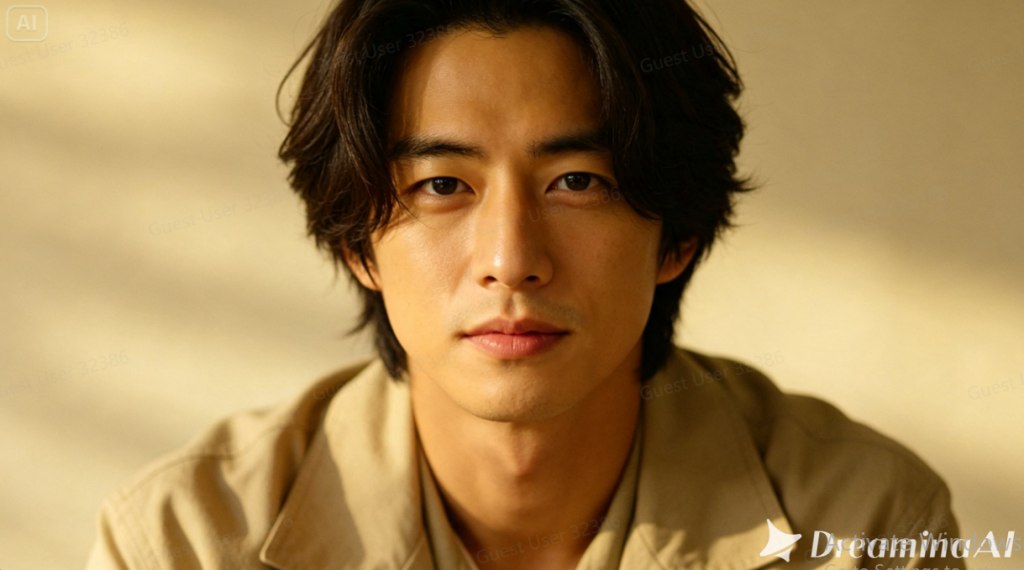
Transformation videos have a very specific kind of pull — a photo that starts as one thing and morphs into something completely unexpected keeps viewers watching purely to see where it lands. Whether it’s a person turning into a superhero, a plain room transforming into a fantasy set, or an everyday object becoming something surreal, image to video technology has made this kind of viral content accessible without any special effects background at all.
Dreamina, powered by its latest and most advanced video generation model, Seedance 2.5, turns a single photo into a transformation clip built for exactly the kind of curiosity that gets content shared.
Deciding between a subtle shift and a dramatic reveal
Not every transformation needs to be over-the-top. A subtler shift, like an outfit or setting change, can still perform well if executed cleanly, while a more dramatic concept, like a full character transformation, tends to require more careful buildup to land convincingly.
Why transformation content spreads so easily
Transformation videos tap into a very basic curiosity loop — viewers watch the beginning specifically to see the end, and that anticipation is what keeps a clip from being skipped. Platforms tend to reward that kind of sustained watch time, which is part of why this format shows up so often in viral feeds.
What transforms are actually satisfying to watch
A few qualities separate transformations that go viral from ones that fall flat:
- A clear, recognizable starting point that makes the change obvious
- A transformation dramatic enough to feel surprising, not subtle
- Smooth motion that makes the change feel magical rather than glitchy
Turning a photo into a viral moment: Three steps with Dreamina
Step 1: Upload your outfit photo and describe the transition
Sign in to Dreamina and open the “AI Video” section. Click “Add reference image” to upload your photo, then add your prompt to describe the video.
For a 30-second video, try: Using the person from the reference image, generate a 30-second video: the person standing still, then a burst of glowing energy sweeping across them as their outfit transforms into a futuristic superhero suit, dramatic light flaring at the peak of the transformation, camera slowly pushing in as the full look is revealed in the final seconds.
Step 2: Generate your transition with Seedance 2.5
After adding your image and prompt, choose the Seedance 2.5 model for generation. Next, choose the video length, then a suitable aspect ratio — pick 16:9 for YouTube or 9:16 for TikTok. Finally, click Dreamina’s icon and wait a few seconds for processing.
Step 3: Polish and post your finished clip
Polish your video before saving it with Dreamina’s AI editing tools. Use advanced AI tools like Upscale for higher resolution or Generate soundtrack for adding audio. Finally, export and share it on social media platforms.
Riding the wave of current trending themes
Transformation content often performs best when tied to whatever theme happens to be culturally popular at the moment, whether that’s a specific movie release, a gaming trend, or a seasonal aesthetic, since audiences are already primed to engage with that particular visual language.
Choosing a transformation concept worth sharing
Not every transformation idea has equal viral potential. Concepts tied to popular themes, like superheroes, fantasy characters, or dramatic before-and-after style reveals, tend to resonate more broadly than highly niche or personal transformation ideas.
Seedance 2.5: Engineering a believable reveal
Reduced “AI look” for a convincing transformation moment
The transformation moment itself needs to look intentional rather than glitchy, and Seedance 2.5 has significantly reduced the artificial texture that used to make dramatic visual changes look unconvincing.
Handling complex visual effects during the change
The model can interpret richer references, including green screen and white model data, which helps it manage complex visual effects like energy bursts or particle transformations more believably.
Longer clips for a fuller build-up
Native generation supports clips up to 30 seconds, with the “Ultra-long Video Generation (beta)” mode extending that range up to 180 seconds, giving a transformation room to build tension before the actual reveal.
Precise local editing
Local editing allows specific elements, like a stray visual artifact during the transformation, to be corrected without regenerating the entire clip.
Building anticipation before the actual change
The first several seconds of a transformation video matter just as much as the transformation itself. A brief moment of stillness or subtle buildup before the change happens tends to make the eventual reveal land with more impact than a transformation that happens immediately.
Testing multiple transformation concepts quickly
Since generation happens quickly, it’s worth testing a few different transformation ideas from the same source photo before settling on one to post, comparing which concept actually produces the most visually striking and shareable result.
Common mistakes when creating transformation content
A handful of habits tend to undercut a transformation’s viral potential:
- Choosing a transformation concept that’s too subtle to register clearly
- Rushing the buildup, which robs the reveal of its impact
- Ignoring sound design, which often does significant work in selling the moment
Where these transformation videos perform best
This format works especially well on TikTok, Instagram Reels, YouTube Shorts, and other short-form platforms built around quick, high-impact content, where a compelling transformation often earns significantly more shares than a standard photo or straightforward video post.
Final thought
A transformation video was always about the promise of something unexpected. With Dreamina and the reveal-driven precision behind Seedance 2.5, that promise can finally be delivered directly from a single photo, giving creators a genuine shot at the kind of viral moment that used to require professional visual effects.
