

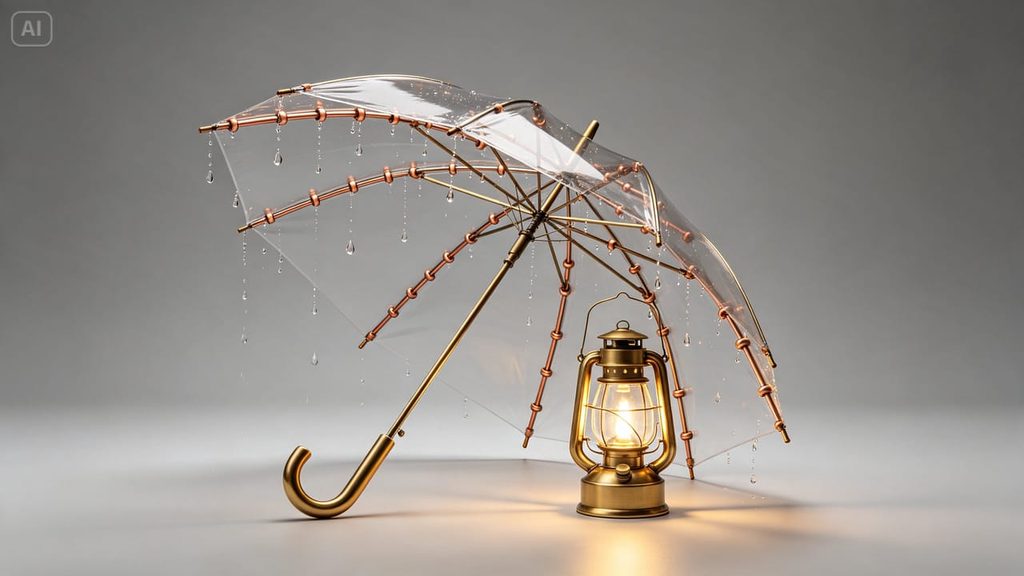
You don’t need a fancy studio to picture the gadget in your head. If you’ve wondered how to make AI images without design software, Dreamina and its advanced image generation capabilities are your shortcut.
Just describe your invention in plain words and watch it take shape. Ready to prototype something delightfully impractical?
No software, no problem
Design programs can feel intimidating with all their layers and tools. AI removes that barrier. You express your idea in words, and the image appears. That means inventors, writers, and curious tinkerers can share concepts without learning complicated software. Your imagination becomes the main skill you need.
Every invention begins with a “what if”
Start with a playful question: what if shoes could grow flowers, or a kettle could sing weather forecasts? Framing your idea as “what if” keeps you inventive rather than practical. The stranger the premise, the more memorable the picture. You can always refine it later.
Describe function through form
Viewers should understand what your invention does by looking at it. Help them with visual clues:
- Vents and pipes for steam or airflow
- Lenses and dials for sensing or measuring
- Handles, straps, and hinges for human use
When your prompt includes those cues, the image tells a story about how the object works.
Imagining materials and moving parts
Materials add personality. A copper contraption feels vintage, while frosted polymer feels futuristic. Mention visible gears, springs, wires, or glowing cores to suggest motion. You can even request an exploded view so each component floats slightly apart, like a professional product diagram.
Show the invention in use
A lonely gadget on a plain background is fine, but a scene brings it to life. Show someone using your invention in a realistic setting. Here’s another prompt for a similar vibe:
A whole toolkit of image models in one place
Dreamina offers a lineup of models you can choose from, depending on your goal.
Seedream 5.0 Pro
Dreamina’s latest model, ideal for detailed objects, clean materials, and complex prompts.
Nano Banana
Best for rapid ideas when you want to explore many versions of your invention quickly.
GPT Image 2
A strong option for careful instruction-following, like labeling parts or matching specific layouts.
More models and features
You can also start from a reference sketch, pick aspect ratios, and refine results with AI editing tools afterward.
Introduce your inventor
Give your invention a creator. A goggle-wearing engineer, a grandmother with a workbench, or a robotics student adds charm and context. Describe clothing and expressions to suggest personality, and viewers will instantly connect to the story behind the gadget.
Prototype your idea in three steps
Ready to see your invention?
Step 1: Write a text prompt
Navigate to Dreamina and write a detailed prompt describing a human dressed for the field, here an eccentric inventor. Add a reference image, even a rough sketch, for better details.
Try: A cheerful inventor in a mustard-yellow lab coat and oversized goggles, holding a glowing prototype with spinning copper rings, cluttered garage workshop full of blueprints, warm tungsten lighting, richly detailed illustration.
Step 2: Adjust parameters and generate
Pick Image 5.0 Pro by Seedream 5.0 Pro, then set your aspect ratio, size, and resolution (1K or 2K). Click Dreamina’s icon to generate.
Step 3: Customize and download
Use inpaint to tweak a component, expand to widen the workshop, remove to delete extras, and retouch to polish. When satisfied, click the Download icon to save.
Who benefits from invention art?
- Writers illustrating sci-fi gadgets
- Students presenting science fair ideas
- Startups testing early product concepts
Start with the problem your invention solves
Even the strangest gadget becomes easier to understand when it has a clear purpose. Decide whether your invention collects, transforms, protects, measures, or creates something, then build its visual design around that function. This gives the generated concept a stronger sense of logic while leaving plenty of room for imaginative details.
Give unusual gadgets a believable construction
A bizarre invention feels more convincing when its parts appear capable of working together. Add connectors, fasteners, switches, tubes, panels, or moving joints that explain how the object might operate. Mixing practical construction details with an impossible function creates a fun balance between realism and imagination.
Explore several versions before settling on one
Your first concept can be a starting point rather than the finished invention. Change the materials, proportions, controls, or overall shape to explore different interpretations of the same idea. Comparing several versions can reveal a design direction that communicates your original concept more clearly.
Turn a prototype into a mini story
An invention becomes more memorable when viewers can imagine its place in everyday life. Show it solving a problem, being tested in a workshop, or surprising someone who has never seen it before. Adding a setting and human interaction gives the gadget context and makes the concept feel like part of a larger story.
From wild idea to wow image
Imaginary inventions no longer need complicated tools. With a clear “what if,” thoughtful details, and Dreamina’s advanced image generation capabilities, you can turn thoughts into visuals in minutes.
Seedream 5.0 Pro and the editing suite handle the polish. Open Dreamina and invent something wonderful.
